


Pussycat – ROB RUN
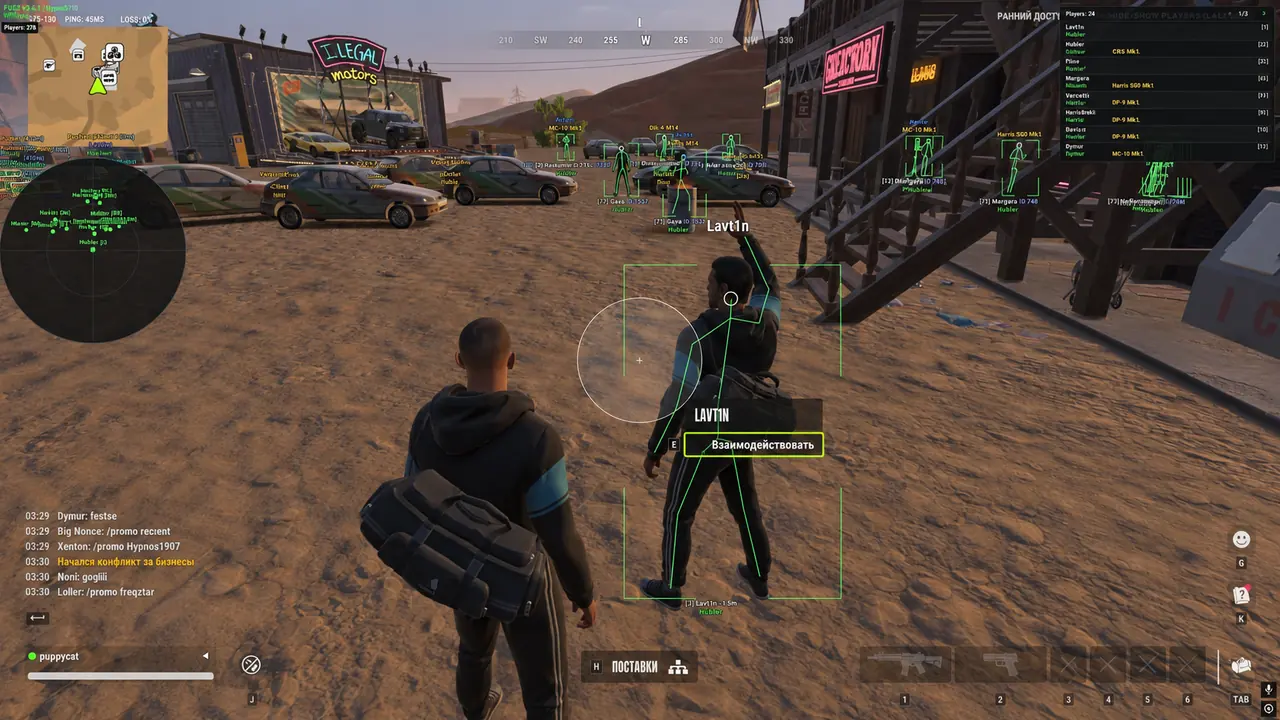
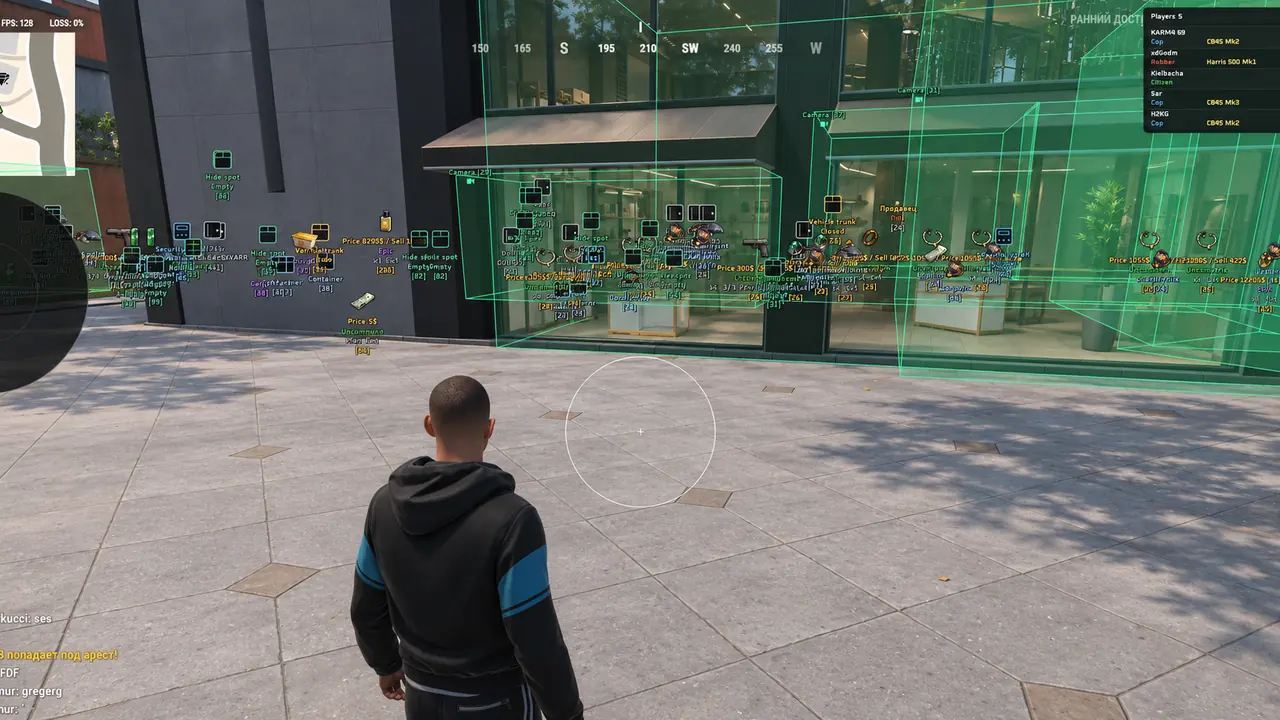
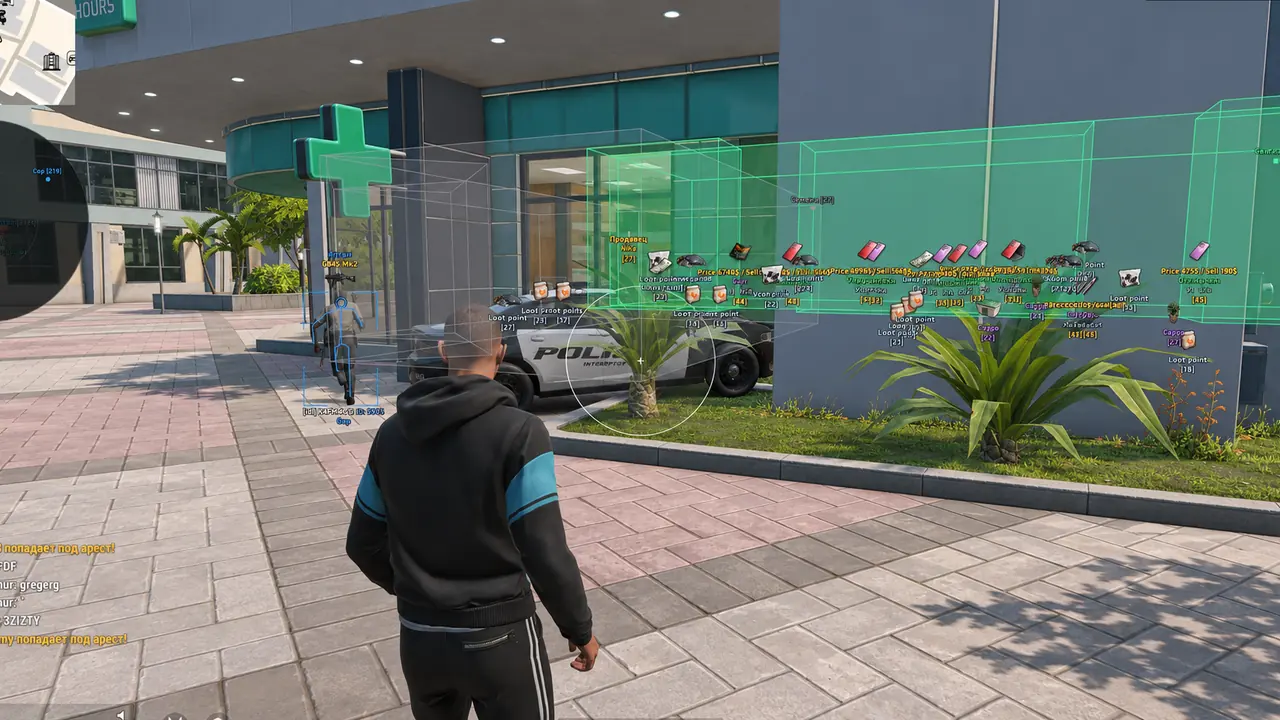
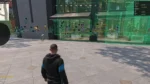
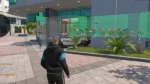
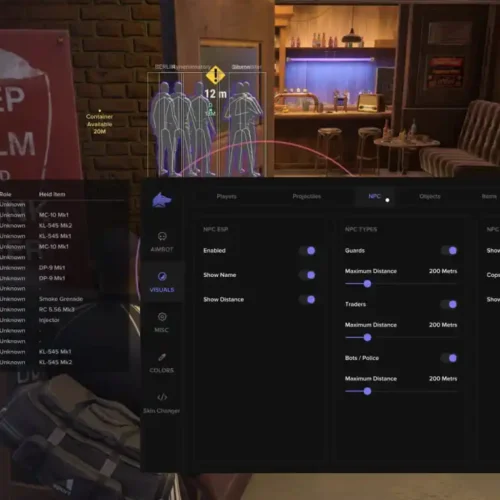
Pussycat for ROB RUN combines configurable memory and mouse a1mbot with detailed player, vehicle and loot ESP. Track cameras and valuables with filters and radar, then save settings through a streamlined menu.
🌐 STATUS: ✅ Undetected
- AIM, ESP, RADAR, COLORS, MISC
- Full Features Lists in below description section
System requirements:
Launcher: Steam
Supported processors: Intel, AMD
Video card: Nvidia & AMD
Supported OS: Windows 10, Windows 11
Declaimer: We are not developing this software and we are a premium reselling service. We at EMCHEATS do not advise or condone in any way, shape, or form the usage of any software sell from our shop in online gaming.
$5.83 $43.79Price range: $5.83 through $43.79
Work in progress! The actual Software may have more/less features than displayed below. We will do our best to update it fully in the near future.
Pussycat – ROB RUN: Full Features List
a1mbot
- Enable – automatic aiming at players
- Aimbot Mode – choose the aiming method: Memory Aim or Mouse Aim
- Memory Aim – a more accurate and faster aimbot
- Mouse Aim – imitates smooth mouse movement aiming
- Aimbot Hitbox – choose the body area to aim at: head, neck, body
- Max Distance – set the maximum aimbot working distance
- Smoothness – adjust the smoothness of aiming at the selected target
- AimBot Key – assign the aimbot activation key
- Draw FOV – display the target acquisition area on the screen
- Filled FOV – fill the inner FOV area
- Aimbot FOV – adjust the size of the target acquisition area
- No Recoil – disable weapon recoil
- No Sway – disable weapon sway
- No Spread – disable weapon spread
Players ESP
- Show Players – enable displaying players on the screen
- Draw Box – display boxes around player models
- Box Style – choose the box type: Full Box or Cornered Box
- Skeleton – display the player’s skeleton with visualization of the main body parts
- Snapline – display guide lines to players
- Snaplines Style – choose the line starting position: Bottom To Enemy, Top To Enemy, or Crosshair To Enemy
- Ignore Dead – hide dead players
- Ignore Knocked – exclude knocked players from ESP
- Ignore Clan – hide players who are in the same clan as you
- Player Categories – choose which categories to display: Cops, Robbers, and Civilians
- Max Distance – set the maximum player display distance
- Player Name – display the player’s name
- Clan Tag – display the clan tag
- Role – display the character’s role
- Held Item – display the item currently held by the player
- Item Icons – display item icons next to player information
- Armor – display player armor information
- Armor Color – customize the armor indicator color
- State – display the player’s current state
- Health – display health level
- Distance – display the distance to the player
- ID – display the player’s identifier
- Font Size – change the ESP text size
Vehicles ESP
- Show Vehicles – display vehicles on the map
- Only Occupied Vehicles – vehicle filtering: display only occupied vehicles
- Hide Own Vehicle – hide your own vehicle from ESP
- Hide Vehicle I Am In – exclude the vehicle your character is currently in
- Snapline – display guide lines to vehicles
- 3D Box – display 3D boxes around vehicles
- Vehicle Name – display the vehicle name
- Distance – display the distance to the vehicle
- Owner – display the vehicle owner
- Speed – display the current speed
- Status – display the vehicle status
Bots ESP
- Show NPC – enable displaying NPCs
- Ignore Dead – hide dead NPCs
- Name – display the NPC name
- State – display the NPC’s current state
- Distance – display the distance to the NPC
CCTV ESP
- Show Cameras – display surveillance cameras on the map
- Distance – display the distance to the camera
- Hide Broken Cameras – hide broken cameras
- Camera Colors – individually customize colors for normal, broken, and alert-state cameras
- View Zone – display the camera viewing zone
- Zone Fill – fill the camera viewing area
- Fill – customize the fill for camera visual elements
- Max Distance – general setting for the maximum object display distance
Items ESP
- Show Items – enable displaying items and loot on the map
- Item Icons – display in-game item icons
- Distance – display the distance to items
- Hide Empty Objects – hide empty objects and containers
- Max Distance – set the maximum item display distance
- Rarity Filter – filter items by rarity
- Price Filter – filter items by value with configurable minimum and maximum thresholds
- Min Price – hide items cheaper than the specified value
- Max Price – limit the maximum value of displayed items
- Weapons – weapon filtering
- Ammo – ammunition filtering
- Armor – armor filtering
- Equipment – equipment filtering
- Others – display other item categories
- Base Price – display the item’s base value
- Sell Price – display the item’s sell value
- Rarity – display the item’s rarity
- Count – display the item quantity
- Durability – display the item’s durability
- Magazine Capacity – display the magazine capacity
- Inventory Size – display the item’s inventory size
- Details Color – customize the color of additional item information
- Rarity Colors – customize colors for rarity categories
Objects ESP
- Show Objects – enable displaying interactive objects and points of interest
- Item Icons – display object icons
- Distance – display the distance to objects
- State – display the object’s current state
- Hide Empty Objects – hide empty objects
- Max Distance – set the maximum object display distance
- Loot Nodes – display loot spawn points
- Cargo – display cargo and cargo-related objects
- Cash Chargers – display cash chargers
- Cash Nodes – display cash points
- Player Bags – display player bags
- Bag Contents – display bag contents
- Vehicle Trunks – display vehicle trunks
- Security Panels – display security panels
- Alarm State – display the alarm status on security panels
- Doors – display doors
- Safe Doors – display safe doors
- Containers – display containers
- Hide Spots – display hiding spots
- Others – display additional environmental objects
Radar Hack
- Show Radar – enable the radar with players and selected objects displayed
- Rotate with Camera – rotate the radar according to the camera direction
- Grid – display the radar coordinate grid
- Role – display player roles on the radar
- Distance – display the distance to objects
- Show Items – display items on the radar
- Item Names – display item names
- Local Player – display your own position on the radar
- Size – adjust the radar size
- Range – adjust the radar coverage radius
- Dot Size – change the size of object markers
- Opacity – adjust the radar transparency
- X / Y Position – adjust the radar’s horizontal and vertical position on the screen
Other Pussycat ROB RUN Features
- Overlay FPS – adjust the overlay interface refresh rate
- Player Count – display the total number of players
- List Players – show the player list
- Crosshair – display an additional crosshair over the game screen
- Save Config – save the current settings to the configuration
- Load Config – load the saved configuration
- Battle Mode – enable/disable some ESP categories by pressing a button
- Menu Key – set the menu open key
- Language – switch the interface language between English and Russian
| Choose License: | 1 Day, 7 Days, 30 Days |
|---|
Brand
Pussycat
Only logged in customers who have purchased this product may leave a review.
Related Products
Dominate Rob Run with Ancient software precision aimbot and fully customizable ESP. Streamproof and packed with pro-level features for ultimate gameplay.
🌐STATUS : ✅ Undetected
- AIM, ESP, RADAR, COLORS
- Full Features Lists in below description section
Software Info:
Type: External
Game Mode: Windowed/Borderless (Stream Proof)

System requirements:
Supported processors: Intel, AMD
Supported OS Build : Windows 10-11 x64
Declaimer: We are not developing this software and we are a premium reselling service. We at EMCHEATS do not advise or condone in any way, shape, or form the usage of any software sell from our shop in online gaming.
Fecurity Tool for ROB RUN
🌐STATUS : ✅ Undetected
- AIM, ESP
- Full Features Lists in below description section
Specifications:
Supported Processors: INTEL/AMD
Supported OS: Windows 10 & Windows 11 (Home and Pro but better use Pro version)
Bios Requirements: UEFI Boot Mode
Declaimer: We are not developing this tool and we are a premium reselling service. We at EMCHEATS do not advise or condone in any way, shape, or form the usage of any software sell from our shop in online gaming.
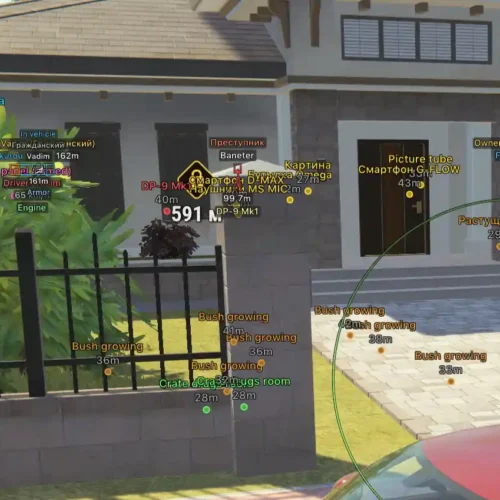
Arcane for ROB RUN an all-in-one gameplay enhancement suite featuring customizable Aimbot, comprehensive Player & NPC ESP, vehicle and surveillance camera tracking, detailed loot detection, Radar and Off-Screen Arrows, plus weapon modifiers and extensive interface customization with multilingual support and profile management.
🌐STATUS : ✅ Undetected
- AIM, ESP, RADAR, COLORS
- Full Features Lists in below description section
Software Info:
Type: External, Built-in Spoofer Included
Game Mode: Windowed/Borderless (Stream Proof)

System requirements:
Supported Launcher: Steam
Supported processors: Intel, AMD
Supported OS Build : Windows 10-11 x64
Declaimer: We are not developing this software and we are a premium reselling service. We at EMCHEATS do not advise or condone in any way, shape, or form the usage of any software sell from our shop in online gaming.
Reviews
There are no reviews yet.